Quick Guide
- Launch Paint Your Friends from the Roblox platform.
- Secure an available plot to begin your artwork.
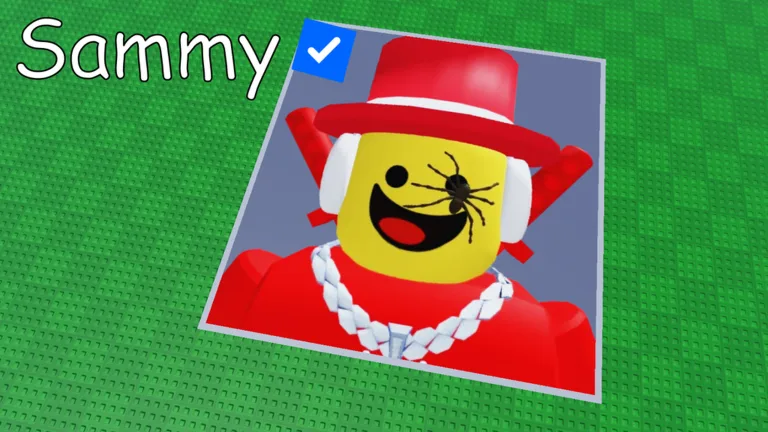
- Load a friend's or celebrity's icon onto your canvas.
- Follow the color-by-number system to paint each block.
- Your artwork saves automatically, ready for sharing.
Ready to channel your inner artist and bring pixelated portraits to life on Roblox? Paint your Friends! offers a unique and engaging coloring-by-number experience where you can transform profile icons into vibrant art, one block at a time. If you're looking to learn how to play Paint Your Friends Roblox, this guide will walk you through your very first session, covering everything from joining the game to showcasing your finished work.
This creative Roblox experience provides a relaxing environment, perfect for unwinding on your own or collaborating with other players in real time. Let's explore the simple steps to get you started on your artistic journey in Paint your Friends!
Getting Started: How to Play Paint Your Friends on Roblox
Embarking on your Paint your Friends! adventure is designed to be straightforward, allowing you to quickly dive into the creative process. The game focuses on accessibility, making it easy for anyone to begin painting. Here’s how to initiate your first session:
- Launch the Game: Your first step is to find and launch Paint your Friends! on the Roblox platform. You can do this by searching for "Paint your Friends" directly within Roblox or by navigating to its official game page.
- Join a Server: Once you launch the game, you'll be automatically placed into an available server. You'll find yourself in a communal art space, often surrounded by other players working on their own canvases.
- Claim Your Plot: Before you can start painting, you need your own workspace. Look for an empty plot within the game environment and claim it. This plot will be your personal canvas where you can load and paint your chosen icon.
The game encourages a relaxed pace. Take your time to explore the environment and find a plot that suits you before starting your masterpiece.
Claiming Your Canvas and Loading Icons
Once you've secured your own dedicated space, the real fun begins: choosing what to paint. Paint your Friends! is unique because it allows you to personalize your artwork by featuring familiar faces.
After claiming your plot, you'll be prompted to load an icon onto your canvas. The game's core mechanic revolves around using existing profile images. You can choose to load the icon of:
- Your friends: Imagine bringing your Roblox buddies' avatars to life in pixel art!
- Celebrities: Recreate the icons of your favorite famous personalities.
- Your own icon: Draw yourself and see your avatar transformed into a color-by-number challenge.
The game takes the chosen icon and converts it into a block-by-block template on your canvas, ready for you to fill in with colors. This system ensures every player has a unique and personal project to work on.
The Art of Coloring: Painting Block by Block
With your icon loaded onto your canvas, you're ready to start painting. Paint your Friends! utilizes a coloring-by-number system, making the process intuitive and enjoyable for all skill levels.
Each block on your canvas will have a corresponding number, indicating the specific color it needs. Your task is to select the correct color from the available palette and apply it to the matching numbered blocks. This method simplifies the painting process, allowing you to focus on the satisfaction of seeing your chosen icon gradually take shape.
The game is designed for real-time interaction, meaning you can paint alongside other players. This creates a social atmosphere where you can observe others' progress and share in the creative experience. The "block-by-block" approach ensures that even complex images are broken down into manageable, relaxing steps.
Sharing Your Masterpiece and Automatic Saves
One of the most rewarding aspects of creating art in Paint your Friends! is the ability to share your finished pieces. After meticulously filling in all the blocks and completing your painting, you can proudly showcase your creation to the world. The game encourages players to share their artwork, fostering a sense of community and appreciation for everyone's efforts.
A convenient feature of Paint your Friends! is its automatic save system. You don't need to worry about losing your progress if you need to step away or if your game session ends unexpectedly. Your paintings are saved automatically, allowing you to return to your canvas at any time and continue where you left off. This ensures a stress-free creative process, letting you focus purely on the joy of painting.
Tips for a Relaxing Painting Experience
While playing Paint your Friends! is intuitive, here are some editorial tips to enhance your first session and make it as enjoyable as possible:
- Find Your Rhythm: The game is designed for relaxation. Don't feel rushed to complete your painting quickly. Take your time, enjoy the process of filling in each block, and let the colors come to life.
- Observe Others: Painting alongside other players in real-time offers a unique social element. Observe what others are painting for inspiration, or simply enjoy the shared creative atmosphere.
- Experiment with Icons: Don't limit yourself to just one friend or celebrity. Try loading different icons to see how they translate into pixel art and challenge yourself with varying levels of detail.
- Take Breaks: If you're working on a large or detailed painting, it's perfectly fine to take breaks. Thanks to the automatic save feature, your progress will be waiting for you when you return.
For more details on the game and to launch your first session, visit the official Paint your Friends! Roblox page.
Frequently Asked Questions About Paint Your Friends
What kind of game is Paint your Friends! on Roblox?
Paint your Friends! is a coloring-by-number game on Roblox where players can load profile icons of friends, celebrities, or even themselves onto a canvas and paint them block-by-block. It's a relaxing and social creative experience.
How do I start painting in Paint your Friends!?
To start painting, you first need to launch the game on Roblox, claim an empty plot, and then load your desired friend's or celebrity's icon onto your canvas. Once loaded, you can begin filling in the numbered blocks with corresponding colors.
Does my artwork save automatically in Paint your Friends!?
Yes, one of the convenient features of Paint your Friends! is that your paintings save automatically. You can leave the game and return later to continue working on your artwork without losing any progress.
Can I paint with friends in Paint your Friends! Roblox?
While the game is called Paint your Friends!, the primary interaction is painting their icons. You do paint alongside other players in real-time within the shared game space, creating a communal artistic environment.