Quick Guide
- Yes, Paint Your Friends! on Roblox features automatic saving for all your artwork.
- Your painting progress saves in real-time as you work on your chosen plot.
- Unfinished creations remain saved even if you leave the game or experience a crash.
- Rejoin the game and claim your previous plot to continue painting exactly where you left off.
For artists diving into the creative world of Paint your Friends! on Roblox, one crucial question often arises: "Does my hard work actually save?" You're spending time meticulously coloring, bringing your chosen profile icon to life, and the last thing you want is to lose progress. Fortunately, the game developers have ensured a seamless experience, especially when it comes to preserving your artistic efforts.
This guide will verify whether your progress is saved in Paint your Friends! and explain exactly how you can safely continue any unfinished masterpieces later.
Yes, Paint Your Friends! Automatically Saves Your Art
Good news for all aspiring Roblox artists: Paint your Friends! on Roblox features a robust auto-save system. This means you don't need to worry about manually saving your work or losing hours of effort if you accidentally disconnect or need to step away from the game. The core design of Paint your Friends! includes this feature to provide a stress-free creative environment.
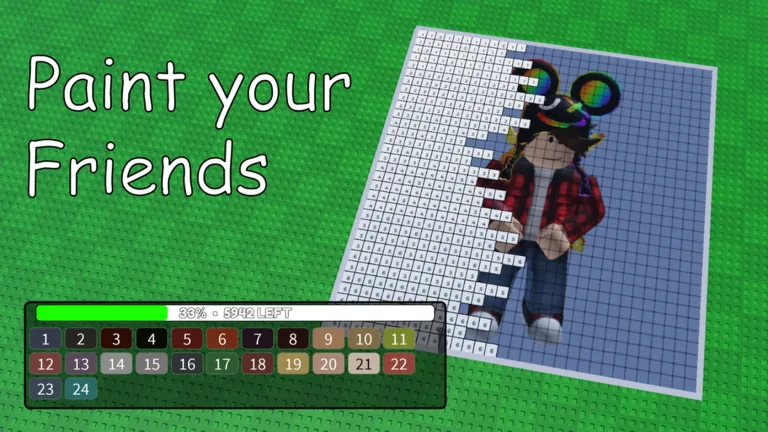
The game is designed around loading profile icons, claiming a personal plot to paint on, and then letting your creativity flow in real-time. This real-time painting is directly linked to an automatic saving mechanism, ensuring your artwork is always protected.
How Real-Time Auto-Save Protects Your Creations
The auto-save functionality in Paint your Friends! is integrated into the core gameplay loop. As you paint on your claimed plot, the game continuously saves your progress in the background. This real-time saving means that every stroke, every color choice, and every completed section is recorded as you make it.
This continuous saving offers significant benefits. If you need to leave the game suddenly, or if your internet connection experiences an unexpected hiccup, your painting will be preserved exactly as it was at the moment of interruption. This automatic protection extends to crashes as well, providing peace of mind that your artistic endeavors won't be lost. There are no manual save buttons because the Paint your Friends! Roblox auto-save feature is designed to be completely hands-off for the player.
Continuing Your Unfinished Masterpieces
One of the best aspects of the auto-save system is how easily you can pick up where you left off. If you have an unfinished painting that you want to return to, simply rejoin the Paint your Friends! game.
Once you're back in the game, navigate to the lobby where you originally claimed your plot. The game is designed to remember your previous work associated with that plot. When you claim the same plot again, your partially completed artwork will reappear, allowing you to continue painting exactly from the point you last left it. This seamless continuation makes it easy to work on larger, more intricate pieces over multiple sessions.
Always claim the same plot to resume your work.
To ensure you return to your specific saved painting, make sure to claim the same plot you were using previously. Your progress is tied to that specific plot.
Tips for a Smooth Painting Experience in Paint Your Friends!
While the auto-save feature handles the heavy lifting of preserving your art, a few tips can enhance your overall experience in Paint your Friends!:
- Stable Connection: Although auto-save protects against disconnections, a stable internet connection will ensure the smoothest real-time painting and saving experience.
- Claim Your Space: Remember that your artwork is saved to the specific plot you claim. When you join a server, pick an available plot to start painting.
- Share Your Art: Once your creation feels ready, don't hesitate to share it with friends or the broader community within the game. The game encourages artistic expression and community interaction.
For more details on the game and to play it yourself, visit the official Paint your Friends! page on Roblox: Paint your Friends! on Roblox.
Frequently Asked Questions About Paint Your Friends! Auto-Save
Does Paint Your Friends! Roblox auto-save my progress?
Yes, Paint your Friends! on Roblox includes an automatic saving feature. Your artistic progress is saved in real-time as you paint on your chosen plot.
What happens if I leave the game before finishing a painting?
If you leave the game, your unfinished painting will remain saved on the plot you were using. When you return and claim that same plot, your artwork will be there, ready for you to continue.
How do I get back to my saved artwork in Paint Your Friends!?
To access your saved artwork, simply rejoin the Paint your Friends! game and claim the same plot you were painting on previously. Your progress will load automatically.
Is there a manual save option in Paint Your Friends! Roblox?
No, there is no manual save button in Paint your Friends! The game's auto-save system handles all progress saving automatically and continuously, so you don't need to take any extra steps.